Bias Lighting for Monitor: Soften Eye Strain After Dark
Bias lighting for monitor setups puts a soft glow behind the screen so dark-room contrast is easier on your eyes during late work blocks.
By Nate Brooks
Homeofficebasics is reader-supported. As an Amazon Associate we earn from qualifying purchases. Learn more.
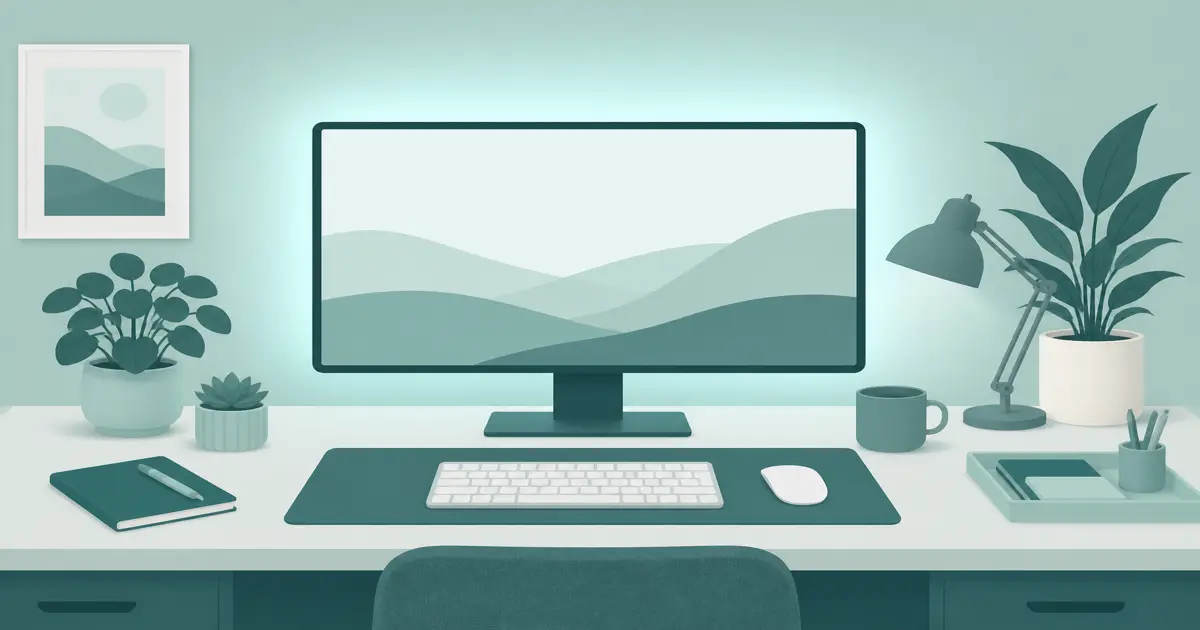
The short answer: Bias lighting for monitor work is a soft glow behind the screen that makes dark-room contrast easier to live with. Start with a Power Practical true-white USB strip (paid link), then add a BenQ ScreenBar (paid link) if the keyboard zone still needs front light.
Our picks
Late work in a black room turns your monitor into a bright rectangle floating in space. Your eyes keep adjusting. Bias lighting fills that gap with a calm halo behind the panel. For desk work, the win is comfort during long evening sessions, not a home-theater calibration project.
It will not fix a too-bright screen or a desk that is too high. Dim the display a notch and keep elbows right. If glare is coming from a lamp aimed at the glass, fix that with a desk lamp that aims down or a light bar. Bias light alone will not erase front reflections.
What bias lighting actually does
Bias lighting sits behind the monitor and washes the wall with low-level light. Your eyes see less extreme contrast between the screen and the room. Perceived picture quality often looks a bit better too, which is why TV hobbyists care about it. For desk work, the win is comfort during long evening sessions.
It is not:
- A substitute for task lighting on paper
- A cure for a desk that is too high
- An excuse to run the screen at max brightness forever
When you need it
Dark rooms at night. Overhead lights are off. The monitor is the only bright thing.
Video calls after sunset. You look less like a floating head if the wall behind you has some light, though a separate key light still helps your face.
Long editing or coding blocks. Soft ambient light reduces the “stare into a flashlight” feeling.
Skip it if you already work in a bright room with balanced overhead light. Bias lighting is for contrast problems, not every desk.
Setup kit: bias plus front desk light
1. Power Practical true-white strip. (paid link) Clean the back of the monitor or the wall zone. Stick the strip so light spills onto the wall, not into your eyes around the bezel. Plug into USB. Start dim. Raise until the wall glow is visible but not flashy. Prefer the true-white mode for work. Measure your monitor perimeter before you pick a length. Shop the Power Practical strip (paid link).
2. BenQ ScreenBar. Bias light helps the room. You still need the keyboard readable. A light bar covers the desk without a lamp base eating space. Confirm it fits your bezel. Shop the ScreenBar (paid link).
Together they split the jobs: soft behind, usable in front.
Placement tips that matter
- Aim at the wall. If the strip faces you around the bezel edges, you lose the point.
- Keep vents clear. Do not tape over cooling paths.
- Match length to size. A strip meant for a 32-inch class screen looks sparse on a huge ultrawide if you under-buy.
- Dim more than you think. Bias light should be subtle. Disco mode is for games, not spreadsheets.
- Check cable slack on sit-stand desks. The strip travels with the monitor when the desk rises.
If your monitor sits too low, raise it with a monitor arm before you blame lighting for a bent neck.
Bias lighting vs RGB “gamer glow”
RGB kits can do bias lighting if you lock a white or soft mode and leave it alone. Many people never do that. They cycle colors until the desk feels like a LAN party. For work, buy a true-white bias strip first. Add color later if you want it for evenings off the clock.
Common mistakes
Running the screen brighter to “fix” a dark room. Dim the display a notch and add bias light instead.
Sticking lights on the front bezel. That is glare, not bias.
Using only bias light with a pitch-black keyboard zone. Add a bar or lamp for the desk surface.
Ignoring reflections from a side window. Bias light will not beat uncontrolled daylight glare. Close the shade or move the desk.
Dual monitors and ultrawides
Two monitors need even wall wash behind both panels when possible. A single short strip centered on one screen leaves the other side of the desk feeling uneven. Either run a longer kit sized for the combined width, or place separate strips so both walls glow similarly. On ultrawides, keep the light centered and dim; a bright strip on a huge panel can look like a halo that fights the picture.
Curved monitors complicate adhesive paths. Follow the curve gently and avoid pulling the strip into a hard corner kink that breaks LEDs later.
USB power realities
Many strips draw from a monitor USB port or a powered hub. Weak ports flicker or dim under load. If the light drops when the monitor sleeps, that can be a feature for auto-off, or an annoyance if you still want wall glow while the screen is dark. Use a dedicated USB wall adapter when you want independent control.
On sit-stand desks, leave slack in the USB cable equal to the full lift range. A tight cable will tug the strip or unplug at standing height.
A simple evening routine
- Close harsh overhead lights.
- Dim the monitor a step from daytime brightness.
- Turn on bias light to a soft wall glow.
- Turn on the light bar or desk lamp for the keyboard zone.
- Recheck glare on the panel after you stand the desk up.
That five-step loop takes under a minute and makes late work feel less harsh without turning the room into a showroom.
Bottom line: Bias lighting for monitor setups is a small, cheap comfort upgrade for dark-room work. Use a true-white USB strip behind the screen, and add a ScreenBar (paid link) when the desk still needs front light. More lighting guides are on the blog and homepage.
Frequently Asked Questions
What is bias lighting for a monitor?
Soft light placed behind the display that reduces the harsh jump between a bright screen and a dark room. It is not the same as a colorful gaming glow that distracts you.
Does bias lighting reduce eye strain?
Many people find late sessions more comfortable because the room contrast is softer. It will not fix a too-bright screen or a bad desk height. Dim the display a bit and keep posture correct too.
What color temperature should I use?
For work, true white around 6500K is the classic bias target. Rainbow modes are fine for games. They are usually worse for writing and spreadsheets.
Is bias lighting the same as a monitor light bar?
No. Bias light sits behind the screen. A light bar lights the desk in front. Many desks use both. See monitor light bar for the front-side story.
Will adhesive ruin my monitor?
Use clean, dry plastic backs and follow the strip instructions. Avoid covering vents. If you are nervous, mount on the wall behind the monitor instead of the panel itself when spacing allows.